

Filing taxes can be complicated, especially when you are dealing with an e-file software that adds to your confusion instead of relieving it. When filing taxes using SFP Works you will have the option to choose Direct Input mode or Interview Input mode. While both modes require you to enter in the same type of information; full name, SSN, date of birth, and so on, each data input mode is unique and offers differing ways of entering in information vital to a tax return.
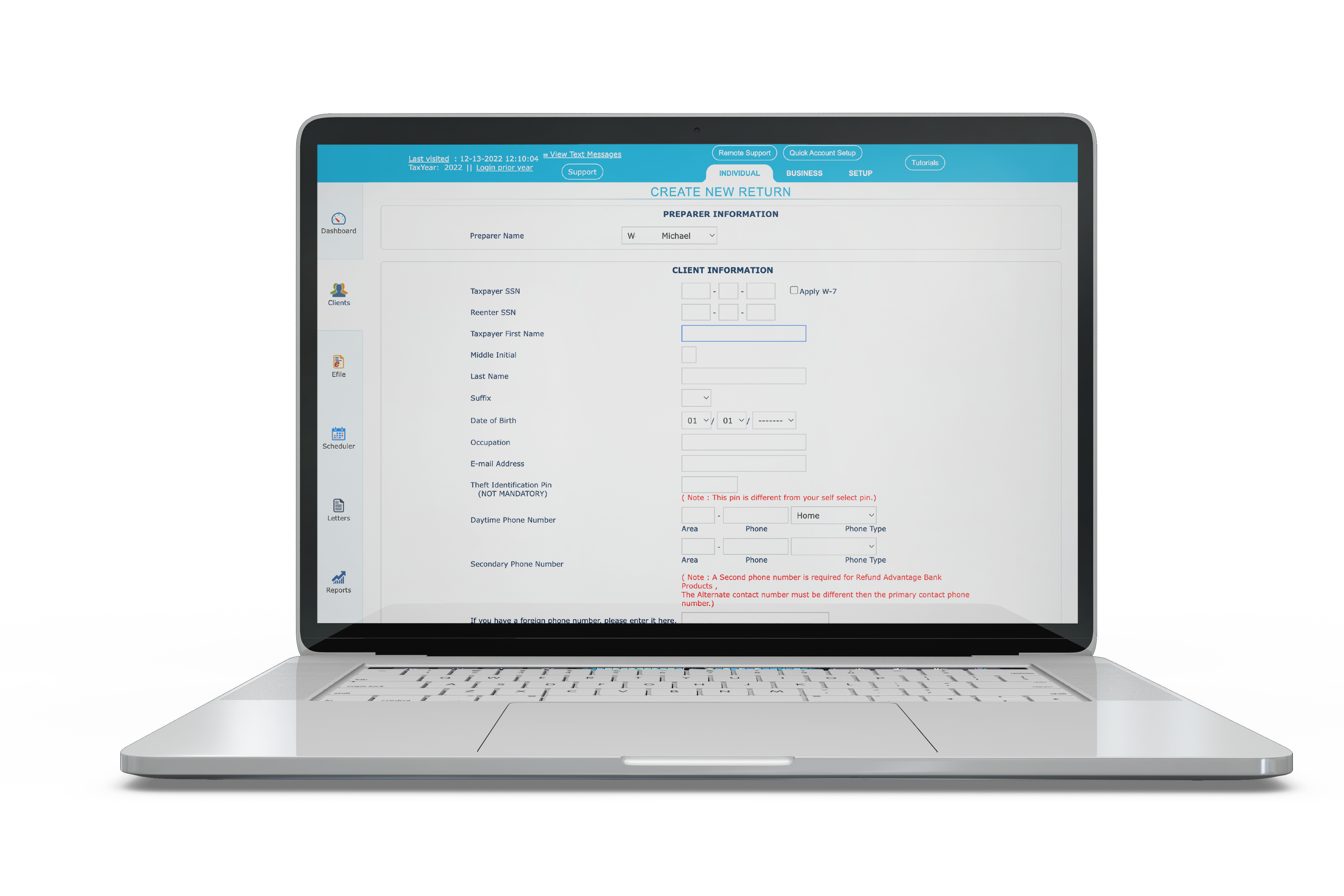
Interview Input Mode:
Interview Input Mode (IIM) is an extremely user-friendly input mode that guides the tax preparer through each phase of the filing process. It’s perfect for tax preparers of all skill levels, especially those new or newer to the tax industry. IIM leads the tax preparer and tax payer through the filing process by breaking down each portion of the return into smaller manageable steps. It also provides explanations and information during each step so the tax preparer can learn while preparing the return.
Benefits to Interview Input Mode:
User Friendly
Educational
Guided Filing Process
Easy to Use
Direct Input Mode:
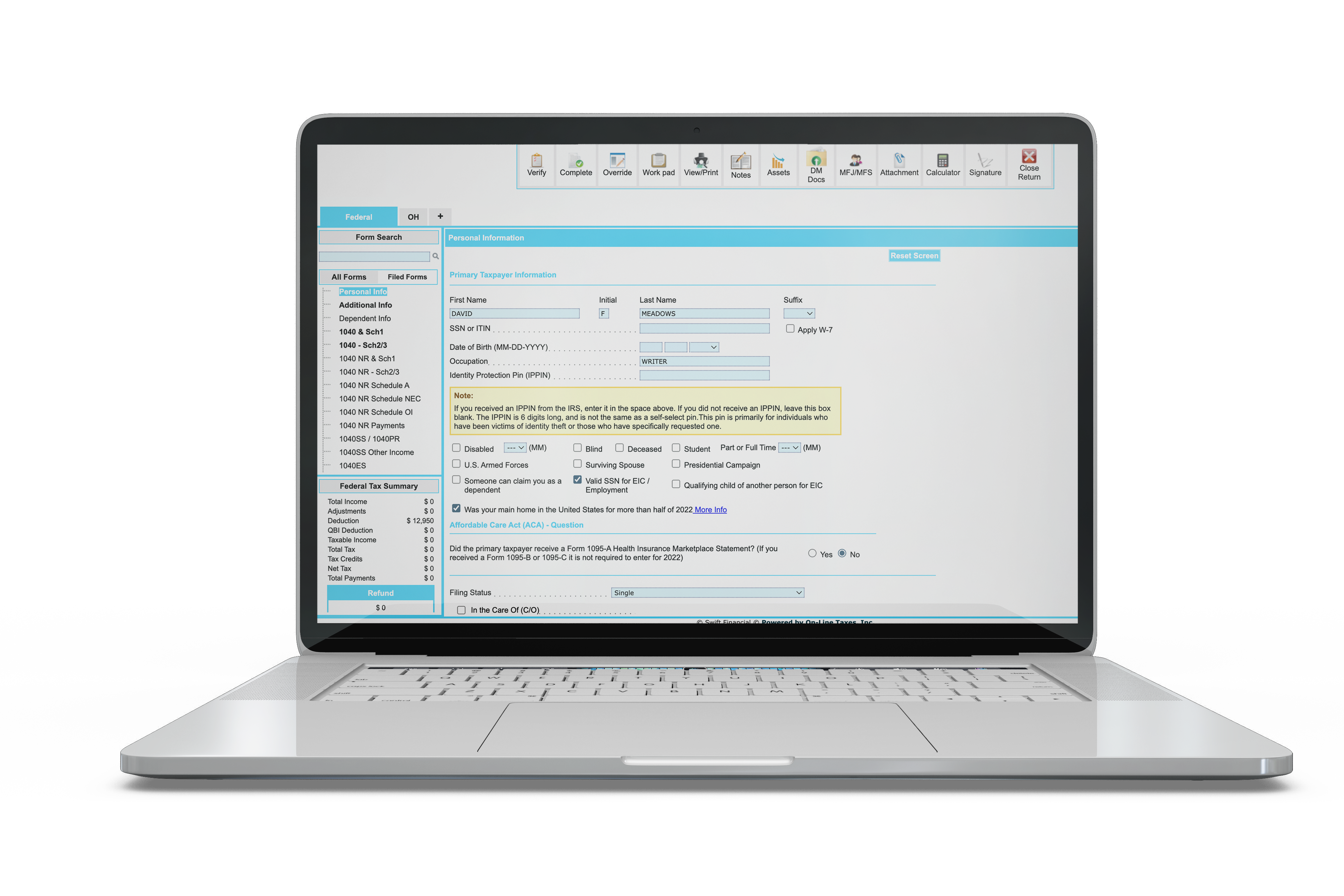
The Direct Input Mode (DIM) is the second data input mode available for tax preparers in SFP Works. While not nearly as user friendly it does provide tax professionals with all the resources they need to file their client’s returns. While less user friendly than IIM, Direct Input Mode is perfect for the experienced tax professional, assisting them with modern digital tools. On the DIM screen they will have access to the taxpayer’s information, a menu to search for relevant forms, their client’s tax summary, IRS resources, and a list of forms already in use for this specific return. Furthermore, the top of DIM provides tools such as the ability to verify the return before filing, view or print the return, access digital documents, and much more.
Benefits of Direct Input Mode:
Efficient
Intuitive
Easy Access
Digital Tools
How Do I Decide Which Input to Use?
As a tax professional your clients are relying on you to help them navigate the world of taxes. Nobody wants to be audited or find out they owe money to the IRS. With so many tools available to you it can seem overwhelming and you might not be confident you are using the most efficient methods. With SFP Works and our two distinct input modes that won’t be a problem. Whenever you start a new return you are defaulted into the Direct Input Mode, however by exiting and clicking “edit” on the manage returns screen you will be asked which mode you want to use. This means you can experiment with different input modes and even change input modes between clients. Maybe a client has a very simple return so you choose DIM because it’s faster, or if it’s more complicated of a return and you are unsure then you can select IIM for the added assistance. No matter what you pick you, as the tax preparer, can feel assured knowing you are employing the latest tools in the tax industry and efficiently file your clients’ returns.
If you would like to learn more about each input mode then watch our training videos when you click below.
Or if you want to learn more about SFP Works and how it can help your tax business then fill out the form below to request a free demo.